
Availability zones
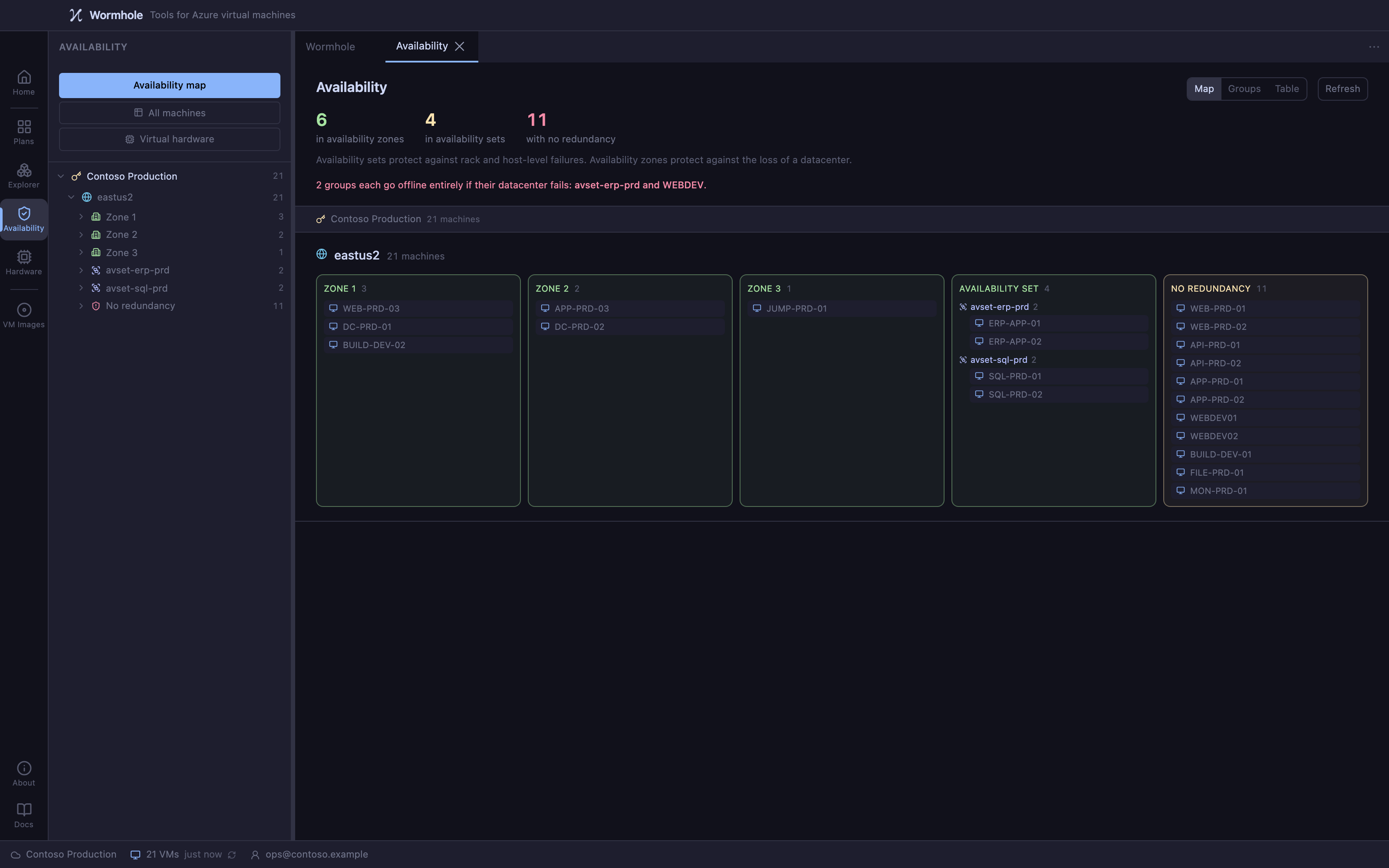
Move existing VMs into availability zones
A machine deployed without an availability zone cannot be given one. Wormhole rebuilds it in the zone you choose, from copies of its disks, and carries its configuration onto the replacement.
Why zones
An availability zone is a physically separate data center within a region, with its own power, cooling and network. Machines spread across zones survive the loss of an entire data center.
An availability set spreads machines across racks inside one building. It protects against a failed rack or a bad host update, not against losing the building. Azure's connectivity guarantee is 99.95% for two or more machines in an availability set and 99.99% for two or more spread across zones.
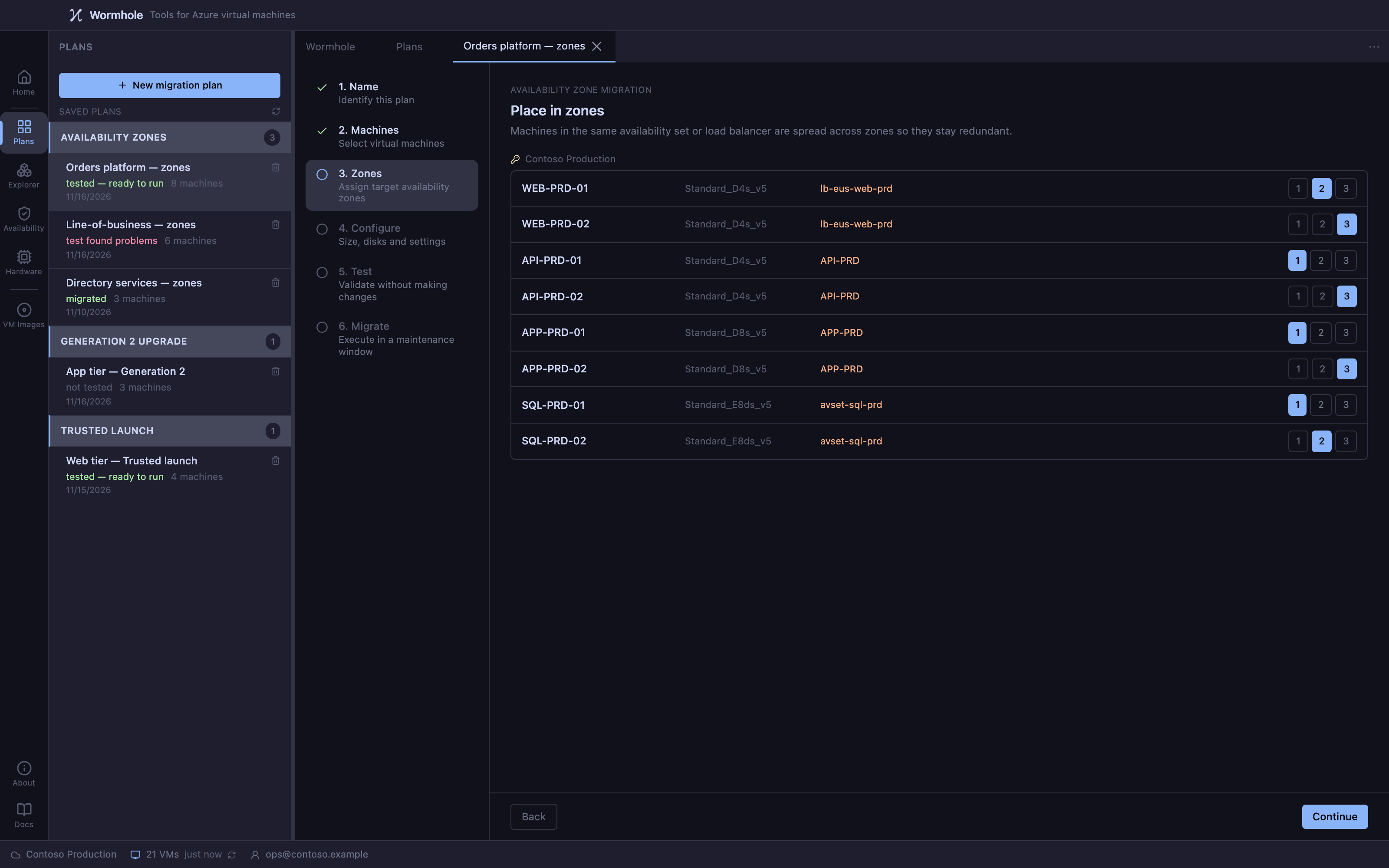
Azure will not place a machine in an availability set and an availability zone at once, so moving into a zone takes a machine out of its set. Wormhole lists that change and asks you to accept it per machine, and the planner spreads a set's members across zones rather than letting them collapse into one.
What happens to each machine
- Check
- Stop
- Copy disks
- Delete original
- Rebuild in zone
- Start
Disks belong to a zone too: a disk in zone 2 can only be attached to a machine in zone 2, which is why the disks are copied into the target zone rather than reused. Deleting the original is the point of no return. Before it, stopping the run leaves the machine as it was; after it, recovery rebuilds from the journal.
What survives the rebuild
Rebuilding a machine by hand typically carries five things: the size, the operating system, the disk, the network interface and the tags. Wormhole reads the rest from the original and writes it onto the replacement.
- Azure Hybrid Benefit
- Managed identities, system- and user-assigned
- Trusted launch, Secure Boot and vTPM settings
- Encryption at host
- Customer-managed keys
- Guest hostname
- Windows and Linux guest settings
- Key Vault certificates
- User data and custom data
- Spot settings and max price
- Marketplace plan
- OS disk caching
- Write Accelerator
- Hibernation
- Disk delete option
- NIC order and primary NIC
- Public IP association
- VM extensions
- Boot diagnostics
Network interfaces are reused rather than recreated, so the subnet, private IP, NSG, ASG, accelerated networking and IP forwarding stay as they are.
Decisions you make, per machine
Not failures: structural changes a zone move implies, listed and accepted before the plan will run.
- Leaving an availability set
- Leaving a proximity placement group
- Leaving a dedicated host
- Leaving a capacity reservation group
- Azure Disk Encryption
Machines refused up front
No replacement could be built, so a plan refuses them rather than failing part-way through.
- Scale set members
- Ephemeral OS disks
- Unmanaged disks
- Ultra disks
Capacity, before you commit
Some sizes are not offered in every zone of a region. Assessment reports quota and capacity limits, and the test checks size availability in each target zone for your subscription rather than assuming.
Where a region has no availability zones, Wormhole says so rather than offering machines it cannot move, and refuses a plan that targets a zone there.
Worth knowing before you move
- Each machine is down for its own migration. The machine is recreated, so it is out of service while that happens.
- Automatic guest patching stops. Azure only sets it when a machine is created from an image; on-demand patching through Update Manager still works.
- Zone numbers are per subscription. Zone 1 in yours is not necessarily zone 1 in someone else's.
Moving an estate into zones?
Wormhole hasn't been released yet. Tell us about your estate and we'll let you know when it is.