
Not yet released
Move your Azure VMs into availability zones.
Bring them up to Trusted launch.
Wormhole is a desktop application for the Azure virtual machines you already have. It moves machines that were deployed without a zone into availability zones, and raises existing machines to Generation 2 with Trusted launch, across as many at a time as you choose.
Windows, macOS and Linux · Sign-in to Azure happens inside the application · No Azure CLI or PowerShell to install
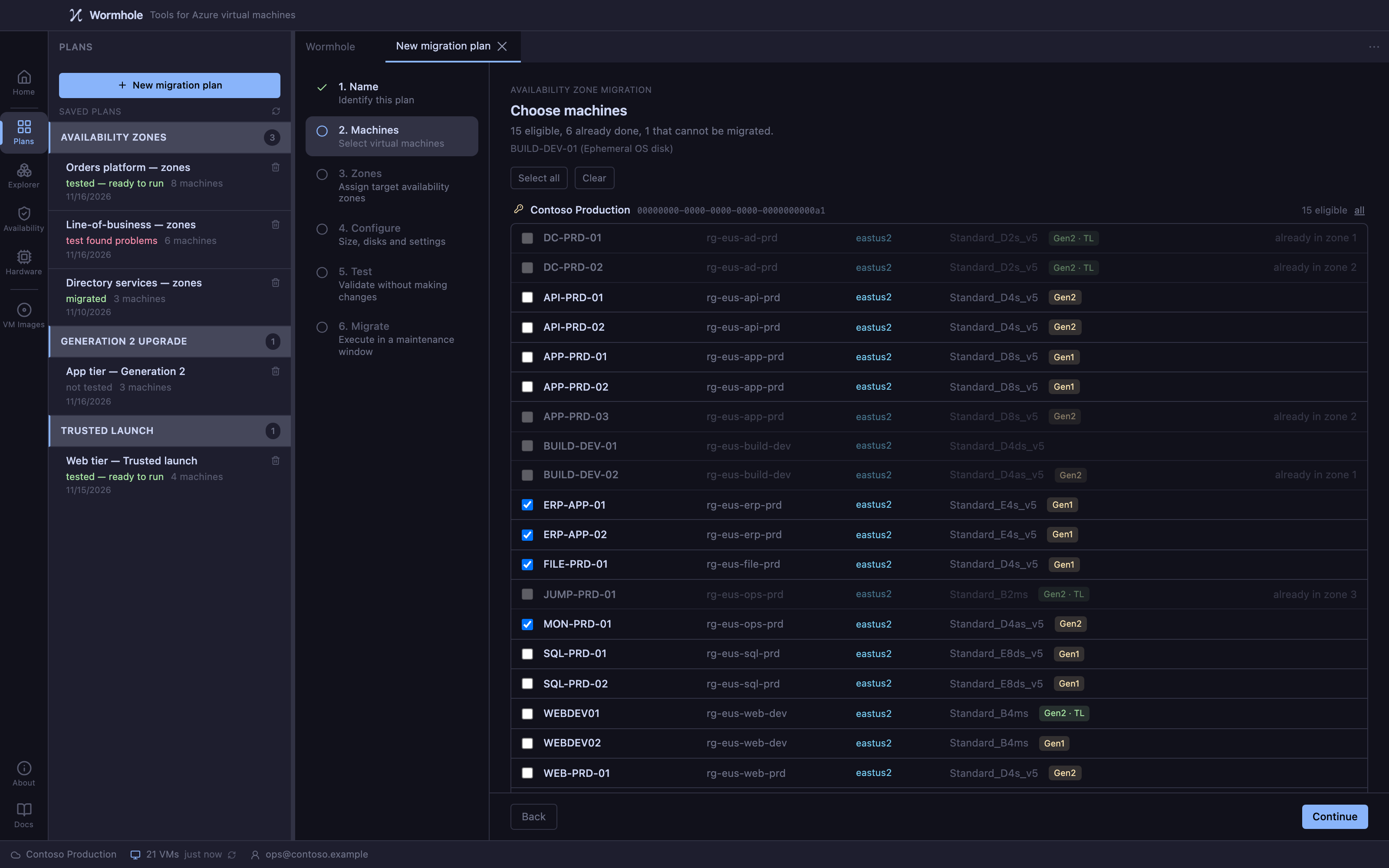
Two jobs
Two changes to the machines you already have, made across an estate
Move machines into availability zones
A machine deployed without a zone cannot be given one. Wormhole rebuilds it in the zone you choose, from copies of its disks, and carries its configuration across: licensing, identities, extensions, network and the rest.
Availability zones →Raise the security generation
Converts Generation 1 machines to Generation 2 and turns on Trusted launch with it, because Azure offers the two only together. Machines already on Generation 2 get Trusted launch, meaning Secure Boot and a virtual TPM, as a setting, without a rebuild.
Gen 2 & Trusted launch →Checked first
Machines that can't be changed are refused up front
Assessment is read-only and changes nothing. It reports blockers, quota and capacity limits, and whether a machine's generation can be raised, before a single machine is stopped.
Blockers include an availability set, a proximity placement group, an ephemeral disk, an unmanaged disk and a machine protected by Site Recovery. Structural changes, such as leaving an availability set, are listed and have to be accepted per machine before a plan will run.
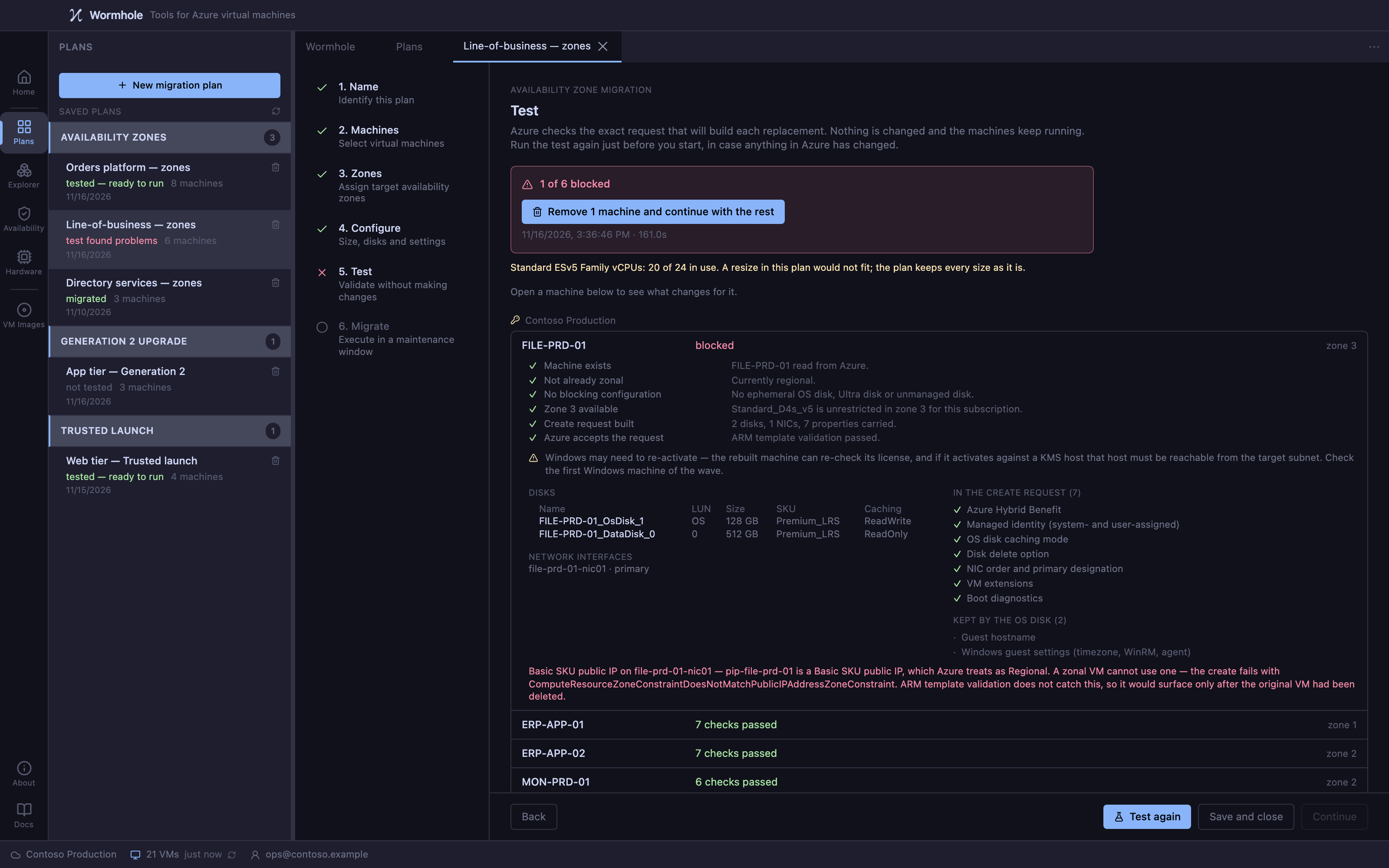
How a migration runs
Plan it once. Test it with nothing changed. Run it in the window.
- 1
Assess
Read-only checks across the estate: blockers, quota, capacity, generation.
- 2
Plan
Choose the operation and the machines, cut them into waves, and accept what changes.
- 3
Test
Every check the run makes, with the machines left running. Zone moves submit the exact request to Azure while the original still exists.
- 4
Run
Progress per machine. Every step is journalled, so an interrupted run resumes instead of starting again.
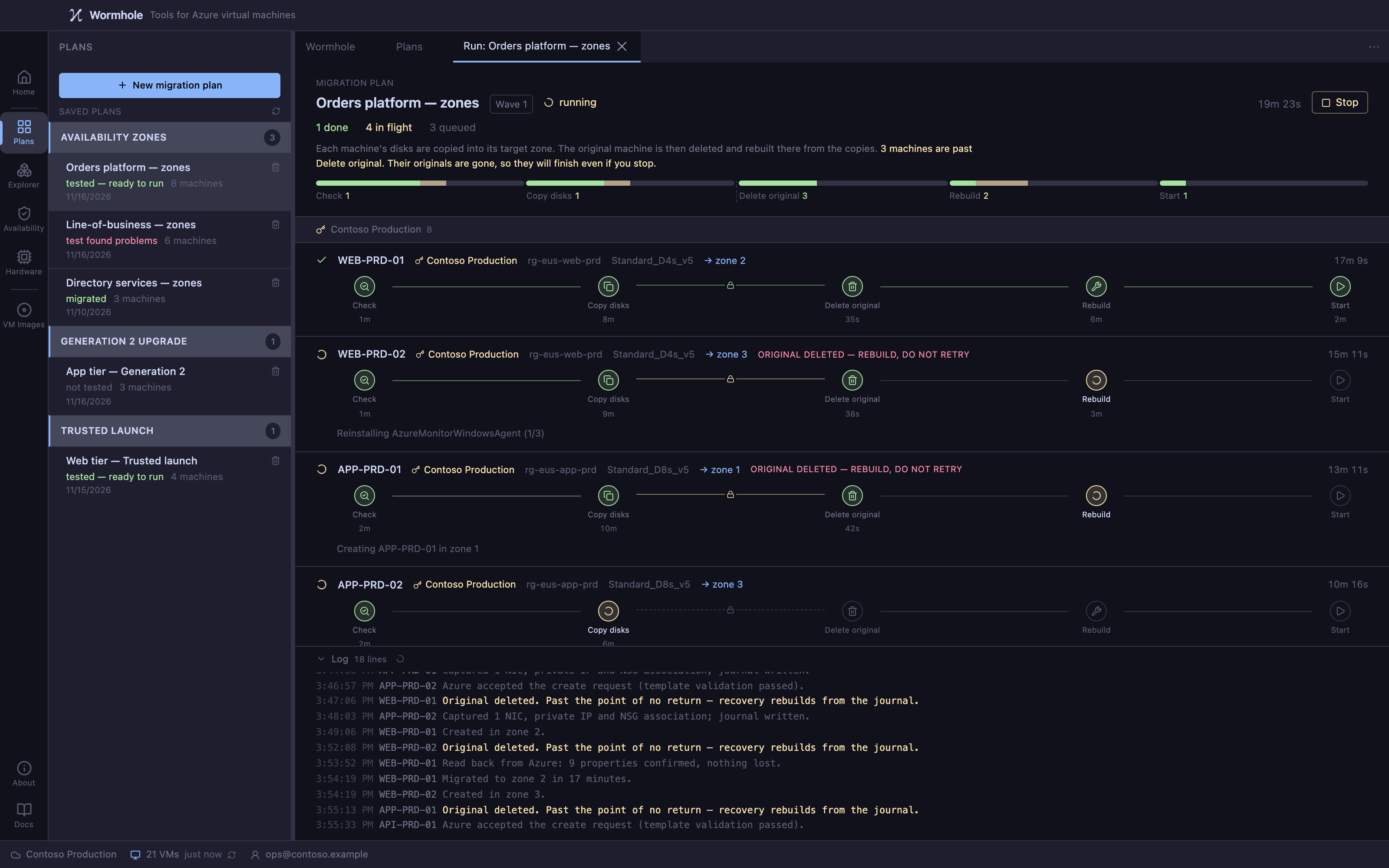
Honest about risk
You always know which side of the point of no return you're on
A zone move deletes the original machine at a defined step, and raising a generation rewrites its disk. Before that step, stopping the run leaves the machine as it was. After it, recovery rebuilds from the run's record. The watch window draws the boundary and says how many machines are past it.
Turning on Trusted launch has no point of no return: nothing is deleted, and Azure will remove the setting again on request.
Wormhole stops, rebuilds and deletes virtual machines, and some operations are irreversible. The licence requires you to keep verified backups.
Your data stays in your Azure
Wormhole runs on your machine and talks to Azure directly. Customer data stays in the customer's own Azure.
Built for change control
The operator manual ships inside the application, so it can be read on change-controlled and air-gapped estates. Reports are derived from the run's journal.
Made for MSPs too
The licence distinguishes your own subscriptions from a service-provider entitlement for your clients'. For MSPs →
Wormhole hasn't been released yet
It can't be downloaded, bought or subscribed to yet, and no price is published. When it is released it will be sold on kelomai.io as an annual subscription. Assessment and planning will be free; only migration will need a subscription.